
TWITCH DROPS
WATCH STREAMS TO GET COSMETICS EARLY
TWITCH DROP REWARDS
HOW TO ACCESS THE TWITCH REWARDS
STEP 1
CONNECT YOUR TWITCH ACCOUNT
STEP 2
WATCH GOBLIN CLEANUP ON TWITCH
STEP 3
PLAY GOBLIN CLEANUP ON STEAM
STEP 4
SYNC YOUR ACCOUNT WITH TWITCH
PLEASE NOTE: YOU ARE REQUIRED TO OWN GOBLIN CLEANUP ON STEAM TO USE YOUR REWARDS IN-GAME
FAQs
Make sure to connect your Twitch account in order to claim your Goblin Cleanup drops!
What are Twitch Drops
Twitch Drops are rewards you can earn by watching streams of Goblin Cleanup, specifically in-game cosmetics on Steam. They are available for a limited time, specified above.
Which streams do I need to watch to earn cosmetics via Twitch Drops?
Watch your favourite Creator streaming Goblin Cleanup to earn your cosmetic rewards on Steam. Head over to the Goblin Cleanup category on Twitch and start watching now!
🔗 Twitch | Goblin Cleanup Category
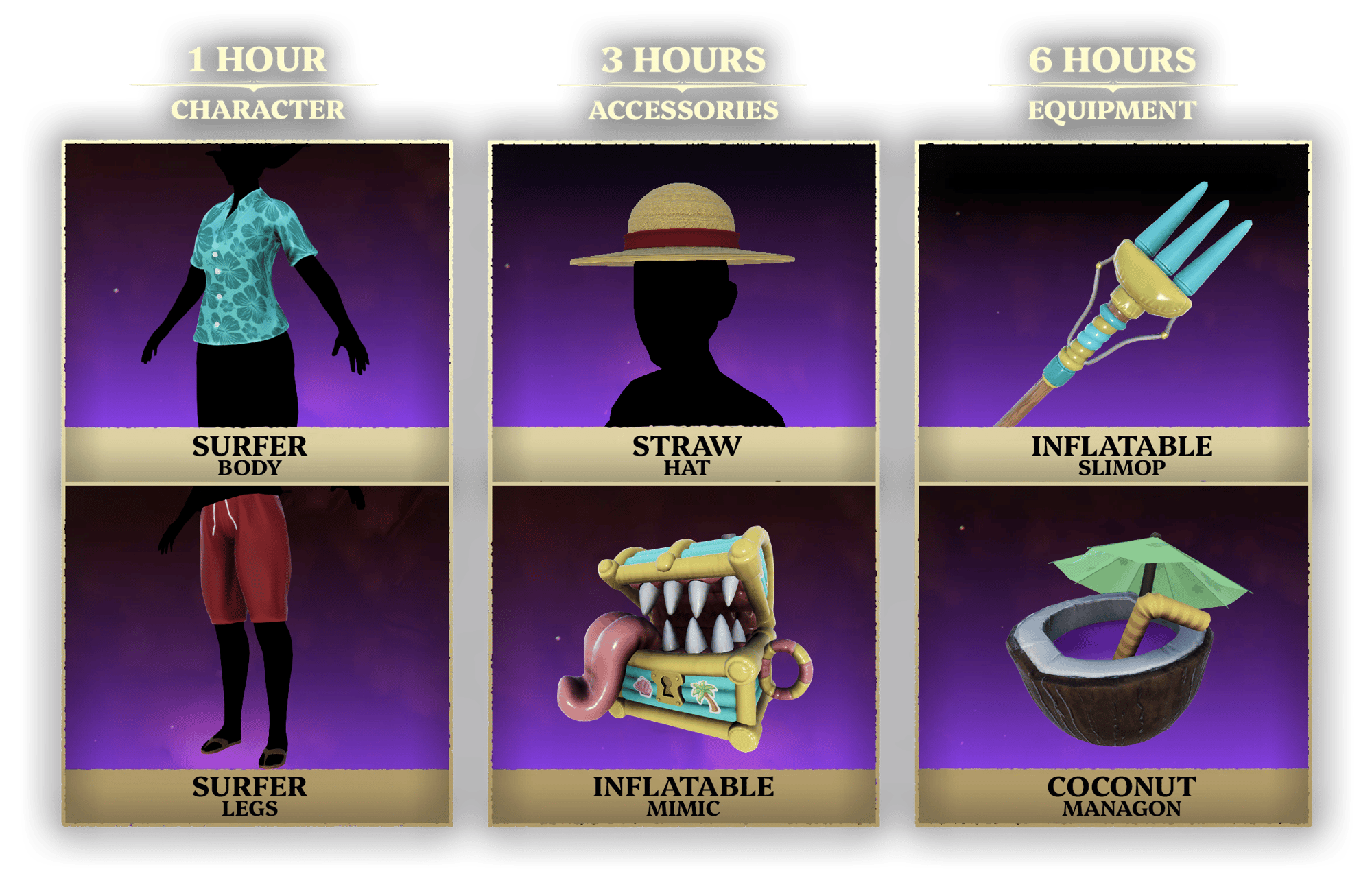
You can earn the following rewards by watching for the associated time:
● Summer Bikini (Body & Legs) — 1hr watch time
● Capeline (Hat) & Mermaid (Tail) — 3hrs watch time
● Beach Ball (Managon) & Parasol (Slimop) — 6hrs watch time
How can I tell if a stream has Twitch Drops enabled?
Streams with Twitch Drops enabled will have the "DropsEnabled" tag for the broadcast. Additionally, a pop-up will display at the top of Twitch Chat if the streamer has enabled Twitch Drops for Goblin Cleanup.
Where can I check my progress towards Twitch Drops?
You can check your Twitch Drops progress at any time via the Inventory Page:
I've completed my Twitch Drops. Where can I claim my in-game cosmetics?
I’ve claimed my Twitch Drops. Where can I use my in-game cosmetics?
Once claimed on Twitch, you will need to navigate back to the Goblin Cleanup website and follow the remaining steps.
You must own Goblin Cleanup already; you can purchase Goblin Cleanup on Steam via the Store Page:
Navigate to your Steam Library and install Goblin Cleanup. Once installed, boot up the game and navigate to the settings menu where you will need to link your Twitch Account once again. After that, click the sync button and you will now have access to your cosmetics if you’ve earned and claimed them in your Twitch Inventory.
The stream I was watching ended before I completed my Twitch Drop. Do I need to start over in another stream?
No, the progress for Twitch Drops is cumulative. You can continue your progress on another channel streaming in the Goblin Cleanup category:
🔗 Twitch | Goblin Cleanup Category
Can I earn Twitch Drops faster by watching more than one channel at a time?
No, you will only be eligible to earn Twitch Drops on one channel at a time. Watching more than one channel, in the Goblin Cleanup category, at the same time will not result in completing the Twitch Drop faster.
Where can I get more information about the Goblin Cleanup?
For more information about Goblin Cleanup and the Early Access roadmap, please keep an eye on our official social media channels and the Steam Store Page:
I am a Twitch Streamer. How do I enable the Goblin Cleanup Twitch Drops on my channel?
To enable Twitch Drops on your channel, first you must set your category to Goblin Cleanup in your Dashboard:
🔗 Twitch | Goblin Cleanup Category
Secondly, in your Dashboard, click on “Viewer Rewards” and then “Twitch Drops”.
In this section, you can turn on Twitch Drops for the Goblin Cleanup category. Your community will then be notified by watching your stream, via the Stream Tag and the top of Twitch Chat.
What should I do if I still have issues with Twitch Drops?
If you do not have access to the Goblin Cleanup cosmetics in-game after completing and claiming the Twitch Drops, following the FAQ above, please reach out to us on Discord or contact Team17 Support.